
You choose the people
Create named rules for selected contacts, write a fixed fallback reply, and switch auto-reply or AI drafting on or off for each rule.
Private, on-device AI auto-reply for iPhone
Your people. Your rules. Your iPhone. ReplyPilot prepares contact-specific responses with Apple's on-device model when supported, then your approved Apple Shortcut handles sending.
Rules, selected contacts, writing examples, and safety history stay on your iPhone.
ReplyPilot receives only the current message you connect as Shortcut Input.
Apple Shortcuts controls the trigger, and Apple's Send Message action performs sending.
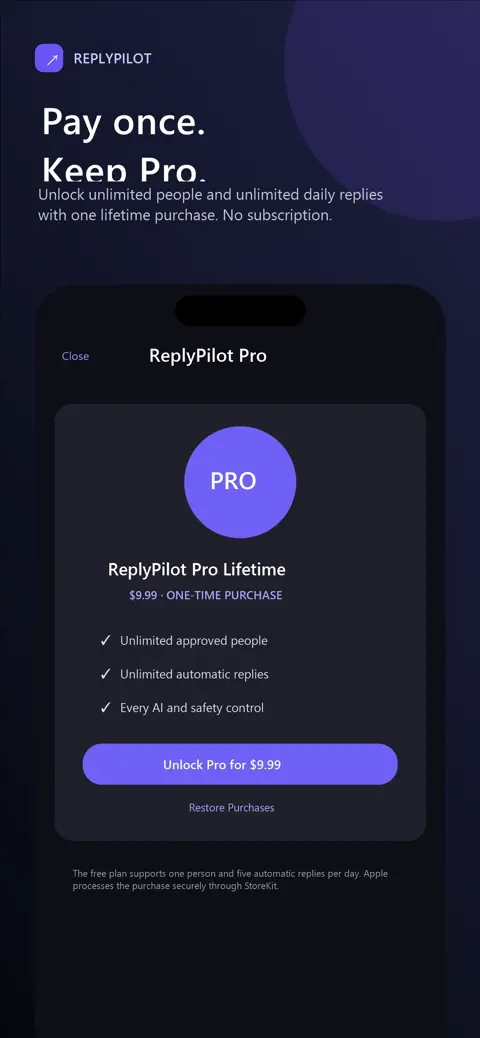
Use the free plan, or unlock unlimited people and daily replies with one lifetime purchase.

No cloud AI. No message-history access. No subscription required. These are real screens from the shipping app, shown at their correct proportions.
Swipe to see every screen.
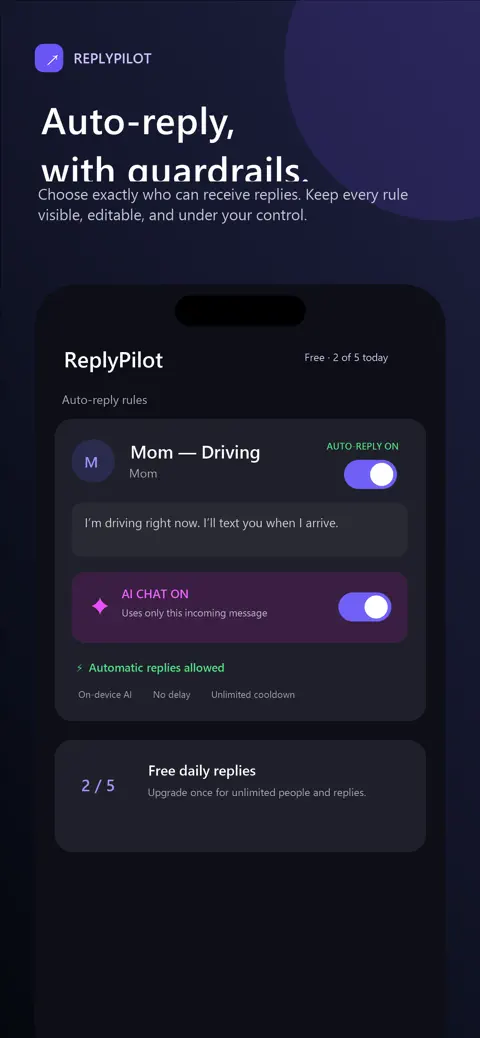

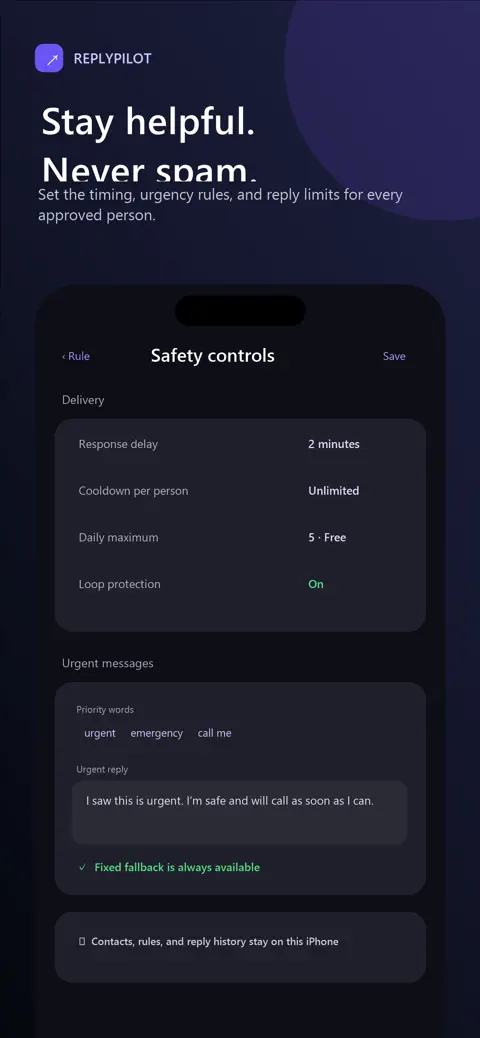
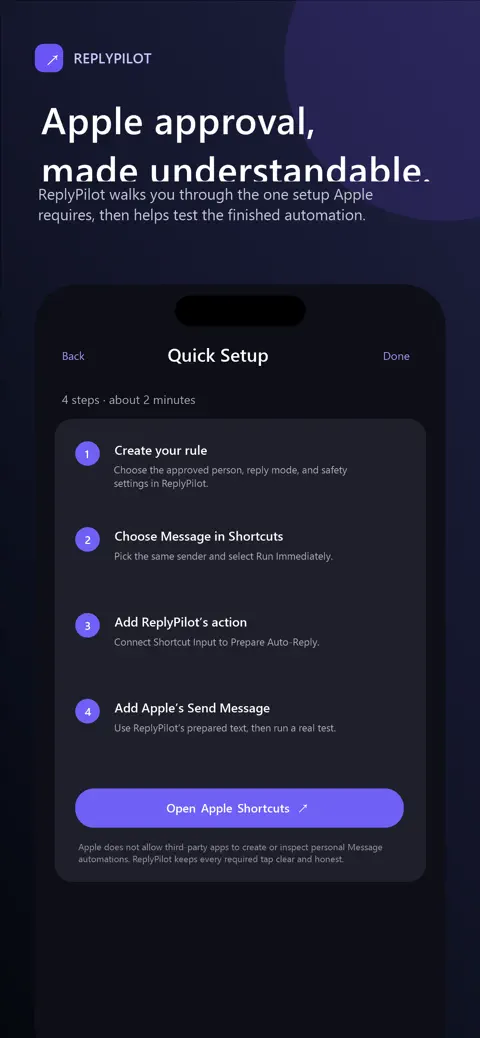
ReplyPilot helps prepare thoughtful, contact-specific replies while keeping each rule visible, editable, and under your control.
Create named rules for selected contacts, write a fixed fallback reply, and switch auto-reply or AI drafting on or off for each rule.
Use guided writing questions, a conversation narrative, and approved talking points stored on your iPhone.
Set response delays, schedules, cooldowns, daily limits, urgent phrases, and reply-loop protection.
Compatible devices can use Apple's on-device intelligence. A fixed local reply remains available when on-device drafting is unavailable.
ReplyPilot guides the personal Message automation setup. You approve it, and Apple's Send Message action performs sending.
ReplyPilot does not read the Messages database, monitor Messages in the background, or upload your conversations to a cloud AI service.
Apple protects Messages and personal automations. ReplyPilot guides every required step while Apple Shortcuts remains in control.
Choose a trusted contact, fixed reply, drafting mode, and safety limits.
Choose the personal Message automation and the same approved sender.
Pass the current message as Shortcut Input to ReplyPilot's Prepare Auto-Reply action.
Use Apple's Send Message action with the prepared text, then run a real test.
Important: ReplyPilot cannot create, inspect, enable, or verify your personal Message automation. Automatic behavior depends on the automation, permissions, and iOS settings you approve in Apple Shortcuts.
The shipping app is built around local data and the information you explicitly pass into a Shortcut.
Try ReplyPilot with one person and up to five successful automatic replies per calendar day.
Free
ReplyPilot Pro Lifetime
$9.99 in the U.S. Localized App Store pricing may vary.
Available now
Private replies when you cannot answer. Start with one trusted person, then decide if Lifetime Pro is right for you.
Support
Questions about ReplyPilot, Apple Shortcuts setup, or purchase restoration can be sent to Black Thorn Labs LLC.
durian@blackthornlabsgames.com